

A lav microphone is a small wearable mic that captures clear speech close to the speaker.
If you have watched an interview, online course, wedding video, or TV show, you have likely seen one clipped to a shirt or jacket. Understanding what is a lav microphone helps you choose the right audio gear, place it correctly, and avoid common problems such as clothing noise, weak volume, and wireless dropouts. This guide explains how lavalier microphones work, where to use them, and how to get clean, natural sound.
What Is a Lav Microphone?
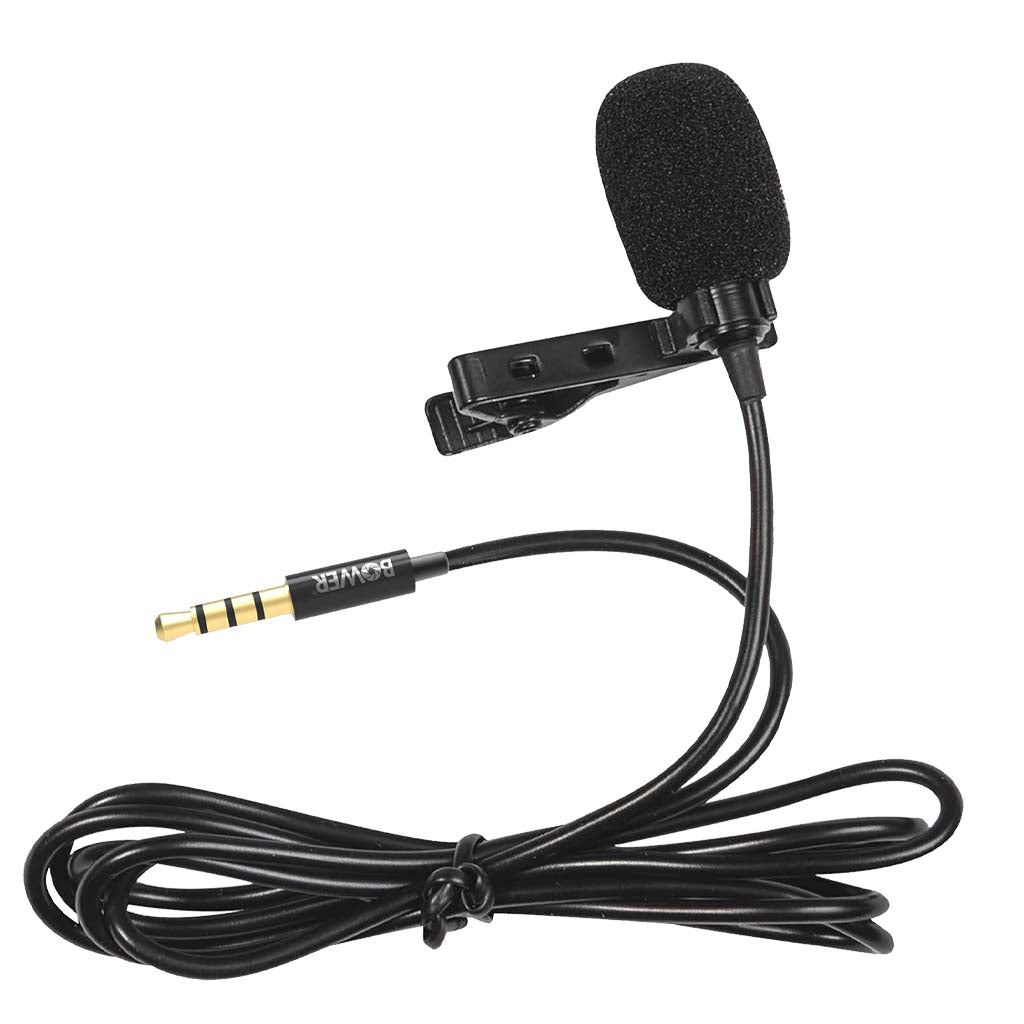
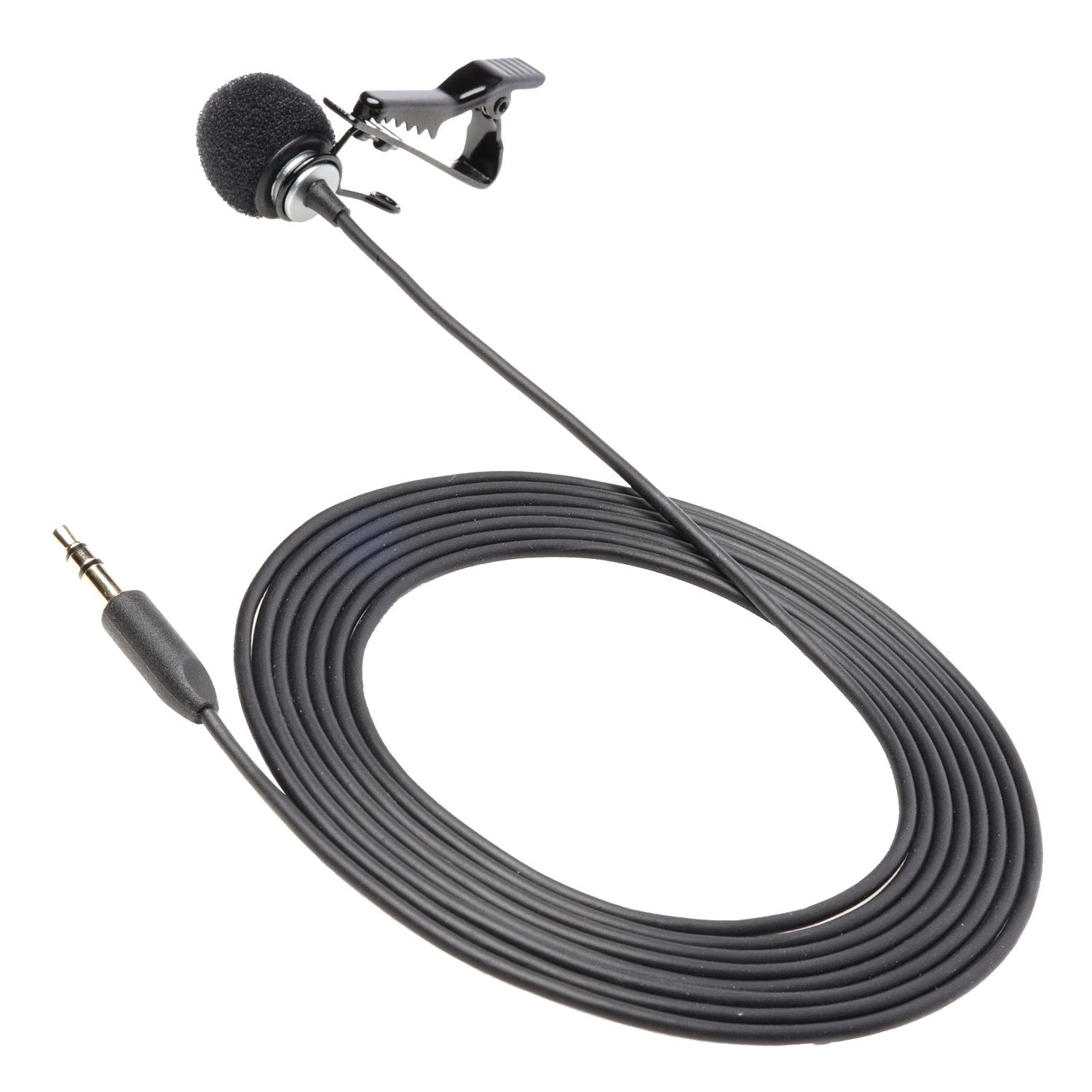
A lav microphone, also called a lavalier microphone, is a small microphone designed to attach to a person’s clothing. It sits close to the speaker’s mouth and sends their voice to a camera, recorder, mixer, phone, or wireless transmitter.
The word “lavalier” comes from jewelry worn around the neck. Today, most lav microphones clip to a shirt, blouse, tie, lapel, or jacket. Their small size makes them less visible than a handheld microphone or a large studio microphone.
When people ask what is a lav microphone, the simplest answer is this: it is a discreet microphone made for hands-free speech. It is especially useful when the speaker needs to move, gesture, teach, perform, or face away from the camera.
A lav mic does not need to be held. This makes it a popular choice for:
• Interviews and documentaries
• YouTube videos and podcasts
• Online classes and webinars
• Theater and stage performances
• Weddings and public events
• Corporate presentations
• News reporting
• Social media videos

How Does a Lav Microphone Work?
A lav microphone uses a small capsule to change sound into an electrical signal. The capsule picks up sound waves from the speaker’s voice, and the signal travels through a cable or wireless system.
Most lavalier microphones use an omnidirectional pickup pattern. This means the mic captures sound from several directions instead of only from the front. This pattern makes a lav mic easier to position because the speaker does not need to face one exact spot.
Some lav microphones use a cardioid or directional pattern. These models focus more on sound in front of the capsule and reject some sound from behind. They can help in noisy spaces, but they usually require more careful placement.
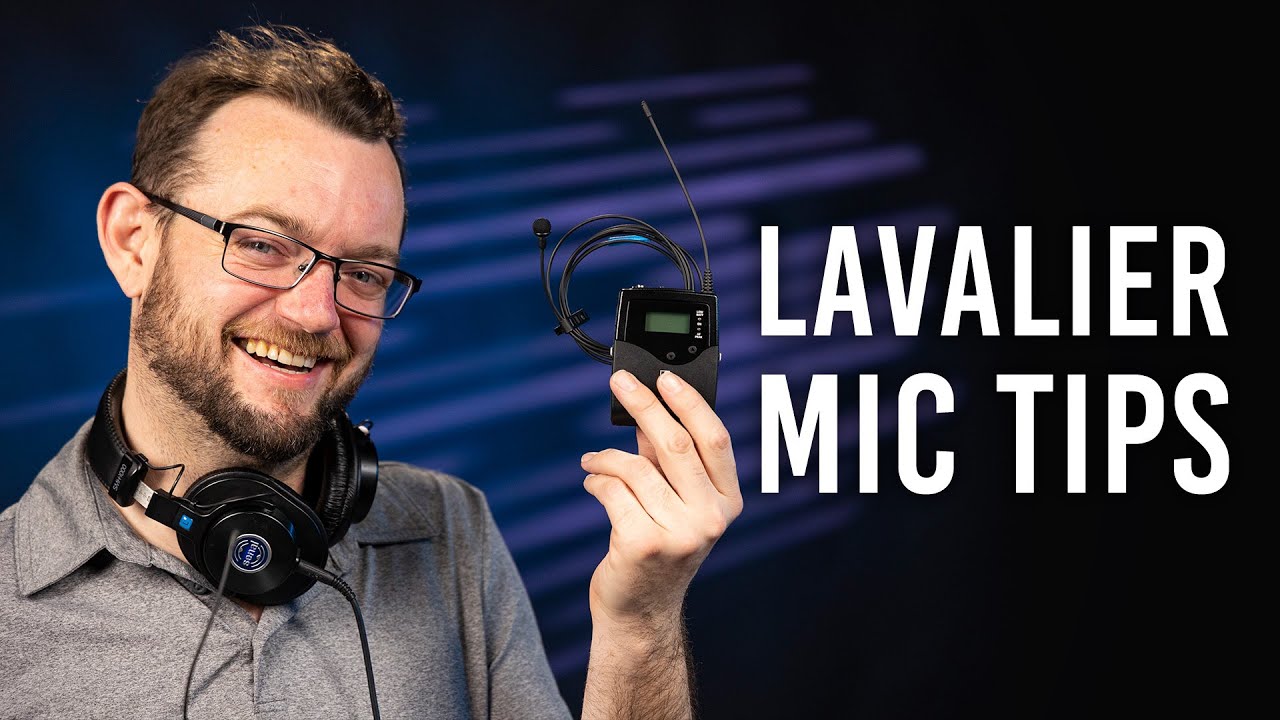
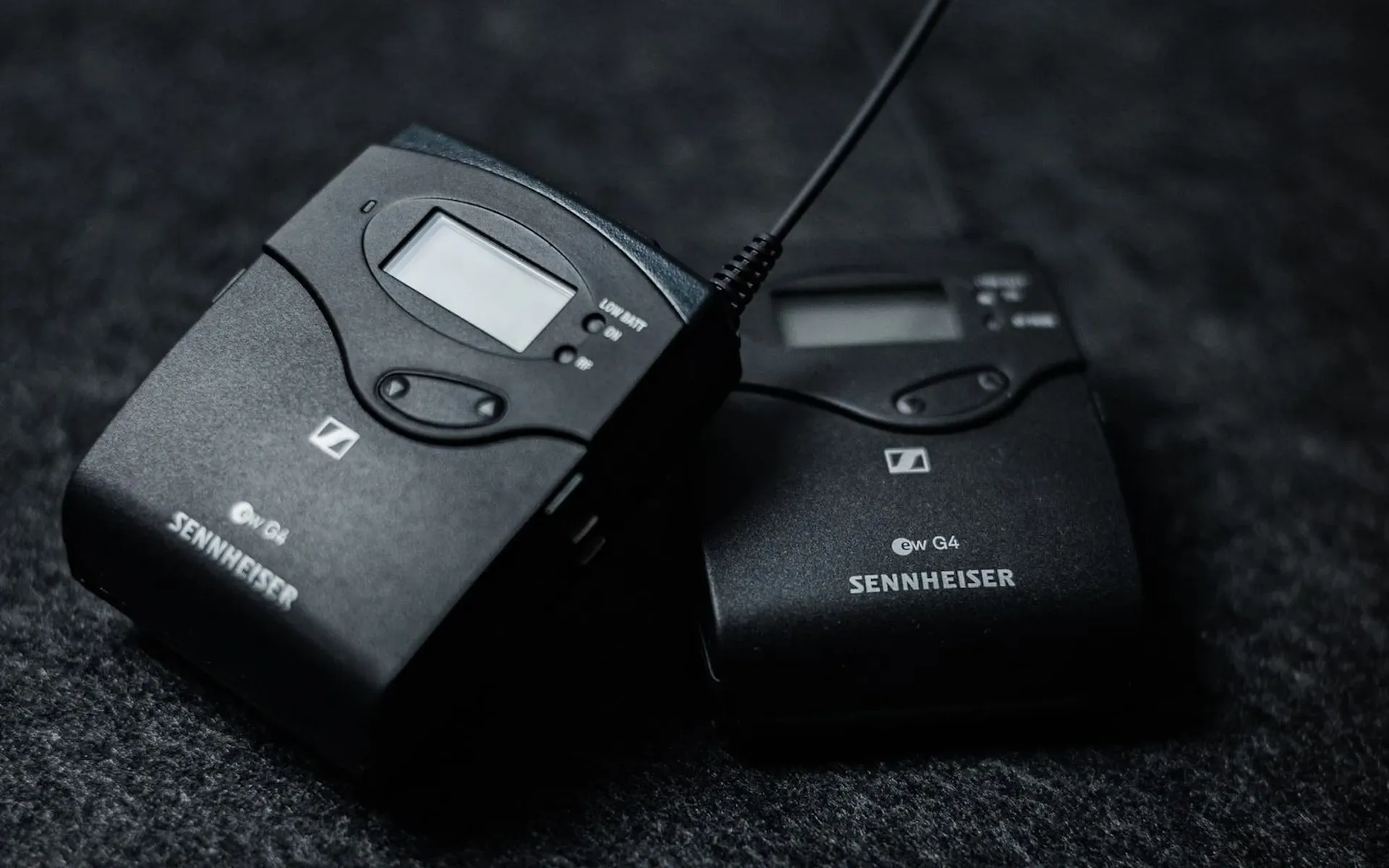
A wired lav microphone sends audio through a cable. A wireless lav microphone connects to a small transmitter worn by the speaker. The transmitter sends the signal to a receiver connected to a camera, audio recorder, or mixing system.
The basic signal path looks like this:
- The speaker talks.
- The microphone capsule captures the voice.
- A cable or transmitter carries the audio signal.
- A recorder, camera, or receiver stores or processes the sound.
- The final recording includes the speaker’s voice.
This simple design explains what is a lav microphone in practical terms. It is a close-miking tool that keeps the voice near the audio source and reduces the need for a large microphone in the frame.
Main Types of Lav Microphones
Lav microphones come in several forms. The best type depends on your device, recording space, budget, and need for movement.
Wired Lav Microphones
A wired lav microphone connects directly to a camera, recorder, mixer, or phone. It does not need a radio transmitter, so it avoids wireless interference and battery concerns.
Wired models are often affordable and reliable. They work well for seated interviews, online lessons, and simple video setups. Their main weakness is the cable, which can become visible or create noise if it rubs against clothing.
Wireless Lav Microphones
A wireless lav microphone uses a transmitter and receiver. The speaker wears the transmitter, while the receiver connects to the recording device.
Wireless systems give the speaker more freedom to move. They are useful for presentations, weddings, live events, and videos where a cable would be distracting. However, they cost more and require batteries, pairing, frequency management, and careful monitoring.
USB Lav Microphones
A USB lav microphone connects to a computer, tablet, or compatible phone. It converts the sound into digital audio inside the microphone or its connector.
This type can be useful for video calls, streaming, voice lessons, and online courses. Before buying one, check whether your device supports the connector and whether it needs special software.
Smartphone Lav Microphones
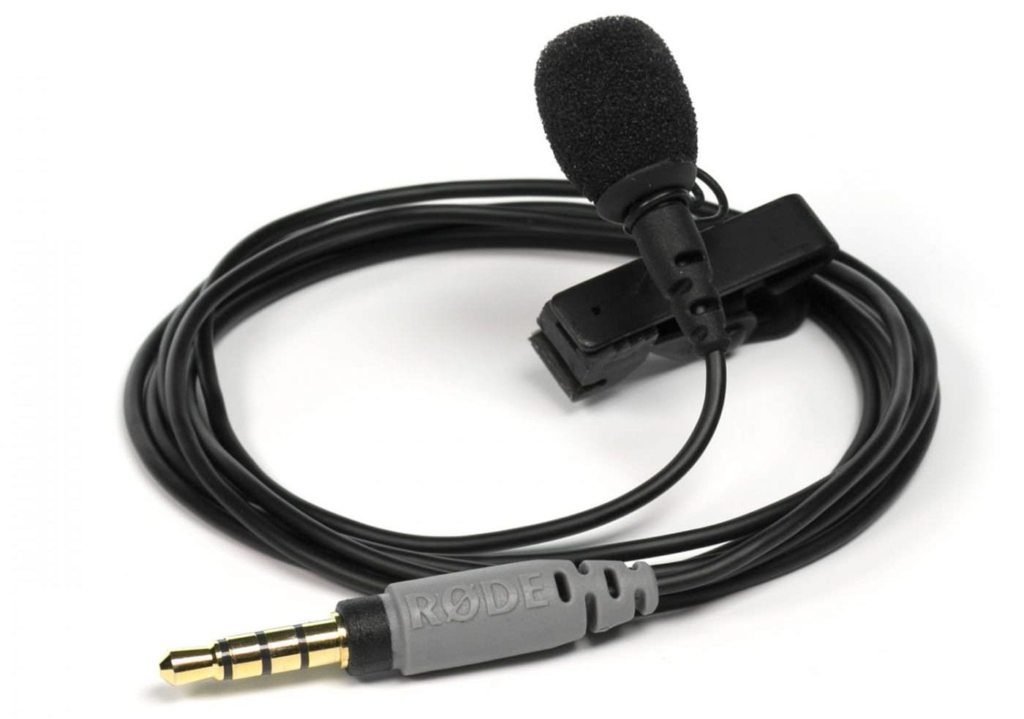
A smartphone lav microphone is built for mobile devices. It may use a 3.5-millimeter plug, USB-C connector, or Lightning connector.
Many phones no longer include a headphone jack. As a result, you may need an adapter or a lav mic made for your phone’s port. Always confirm compatibility before recording an important event.
Analog and Digital Wireless Systems
Analog wireless systems transmit audio as an analog radio signal. Digital wireless systems convert the sound into digital data before transmission.
Digital systems may offer encryption, easier channel management, and cleaner signal handling. Still, performance depends on design, range, local radio conditions, and correct setup. A higher price does not automatically guarantee better sound in every location.
Why Use a Lav Microphone?
The biggest benefit of a lav microphone is consistent speech volume. Because the microphone stays close to the speaker, the voice remains clear even when the person turns their head or moves around.
A camera-mounted microphone can sound distant in comparison. It must capture the speaker from several feet away, along with room noise and echoes. A lav mic puts the voice closer to the center of the recording.
Other benefits include:
• Hands-free operation for movement and demonstrations
• A small design that stays mostly out of view
• More consistent audio during interviews
• Better speech clarity in many untreated rooms
• Easy use with cameras, phones, and recorders
• A natural setup for presentations and live events
A lav microphone is also helpful when the camera cannot move close to the speaker. For example, a teacher may walk across a classroom while explaining a lesson. A lav mic keeps the voice present while the camera stays in one place.
However, a lav microphone is not a magic solution. It can still pick up traffic, air conditioners, nearby conversations, and clothing noise. Good placement and monitoring matter just as much as the microphone itself.
Lav Microphone Placement
Correct placement often matters more than the price of the microphone. A common starting point is to place the capsule about 6 to 8 inches below the speaker’s mouth.
Good placement areas include:
• The center of a shirt
• A jacket lapel
• A tie
• The edge of a blouse or sweater
• A neckline with a secure clip
Keep the capsule upright when possible. Do not let it point directly into thick fabric, and avoid placing it where the speaker’s chin or hair may hit it.
The microphone should sit close enough for a strong voice but far enough away to avoid harsh breathing and loud mouth sounds. Ask the speaker to turn their head, move their arms, and speak at a normal volume before recording.
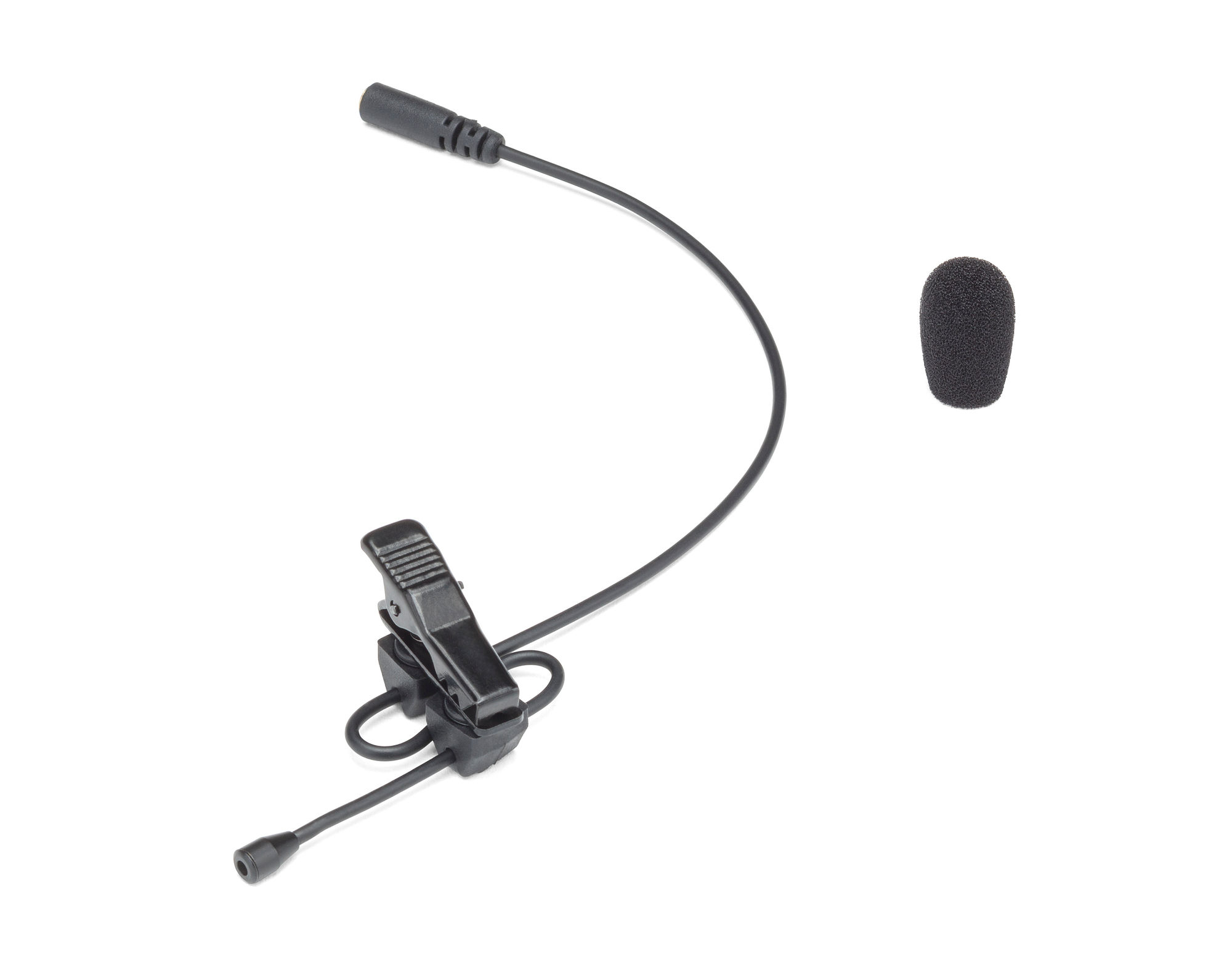
A practical lesson from real production work is that clothing noise can ruin an otherwise good take. Soft, loose fabric may brush against the capsule when the speaker moves. Secure the cable, create a small loop below the mic, and use a clip or concealer to reduce movement.
For hidden placement, audio professionals may attach the lav mic beneath a shirt, behind a tie, or inside a jacket. Soft mounting tape, moleskin, or purpose-made concealers can reduce rubbing. Test the setup before the main recording because hidden placement can change the tone and volume.
How to Hide a Lav Microphone
A visible lav microphone is often acceptable in interviews and educational videos. If you need a cleaner image, you can hide it under clothing or place it near a seam.
Use these steps:
- Choose a position close to the speaker’s chest.
- Keep the capsule away from loose fabric.
- Create a small cable loop to absorb movement.
- Attach the cable firmly below the microphone.
- Use soft tape or a concealer to protect the capsule.
- Ask the speaker to move and speak before recording.
- Listen for rubbing, tapping, and muffled sound.
Do not bury the microphone under thick layers. Heavy fabric may reduce high frequencies and make the voice sound dull. A hidden lav microphone often needs more testing than a visible one.
Wind is another concern. Outdoor recordings may require a small foam cover or furry windscreen. A windscreen cannot remove all wind noise, but it can reduce the sharp bursts caused by air hitting the capsule.
Lav Microphone Sound Quality
A good lav microphone can produce clear speech, but sound quality depends on more than the microphone capsule. The room, clothing, recorder, gain level, and speaker all affect the final result.
A lav mic usually produces a close, direct voice sound. It may not sound as full as a large studio microphone, especially when the capsule is small or hidden under clothing. This is normal. The goal is often clean and intelligible speech rather than a rich music recording.
Listen for these qualities:
• Clear words without a muffled tone
• Low background noise
• No clipping or harsh distortion
• Even volume during head movement
• Minimal clothing and cable noise
• Natural voice tone
Set the recording level with enough headroom. If the level is too low, you may raise noise later. If it is too high, loud words can clip and become distorted. Many professionals leave extra room for sudden volume changes rather than recording right at the maximum level.
Monitoring with headphones is one of the best habits you can develop. A screen may look perfect while the audio contains a steady rustle. If possible, record a short test and play it back before starting the full session.
Wired vs. Wireless Lav Microphones
Choosing between wired and wireless depends on how much movement your recording requires.
A wired lav microphone is often the better choice when:
• The speaker will remain seated
• The cable can stay outside the camera frame
• You want a simple and affordable setup
• Battery failure would be a serious problem
• You are recording into a nearby device
A wireless lav microphone may be better when:
• The speaker must walk or move freely
• The camera is far from the speaker
• The cable would distract viewers
• You are filming events or performances
• You need several speakers in different locations
Wireless systems need extra care. Check battery levels, pair the transmitter and receiver, confirm the input source, and test the range. Keep the transmitter away from objects that may block the signal, and carry spare batteries for important shoots.
For critical work, some crews record a backup track on a separate recorder. This adds work during editing, but it can save a project if the wireless signal drops or the camera input fails.

Common Lav Microphone Problems and Fixes
Even when you understand what is a lav microphone, common problems can still appear during a shoot. Most are easy to prevent when you know what to listen for.
Clothing Rustle
Clothing rustle sounds like scratching or crackling. It happens when fabric touches the capsule or cable.
Move the microphone to a calmer part of the clothing. Secure the cable, use a soft mount, and ask the speaker to avoid touching the microphone area.
Wind Noise
Wind creates deep blasts and rough bursts in the recording. Use a windscreen and position the speaker away from direct airflow.
For outdoor work, a larger wind protection system may be needed. A small foam cover is useful, but it has limits in strong wind.
Muffled Voice
A muffled voice often comes from placing the mic under thick clothing or too far from the mouth. Move it closer to the neckline or place it where the fabric is thinner.
Check whether the microphone is facing the wrong direction. Some lav mics have a clear front side, while others are designed to work in many directions.
Low Volume
Low volume may result from poor placement, low input gain, a weak battery, or an incorrect connector. Test each part of the signal chain, from the capsule to the recording device.
Do not simply turn the gain all the way up. First confirm that the mic is connected correctly and positioned near the speaker.
Wireless Dropouts
Wireless dropouts can come from distance, obstacles, interference, weak batteries, or poor frequency choices. Keep the transmitter and receiver within a sensible range and test the location before recording.
For important work, use a backup recording method whenever possible.
How to Choose a Lav Microphone
When shopping for a lav microphone, focus on compatibility and real use rather than marketing claims alone.
Consider these features:
• Connector type: Check whether you need 3.5 millimeters, USB-C, Lightning, XLR, or another connection.
• Power needs: Some microphones use plug-in power, while others need batteries or a wireless transmitter.
• Pickup pattern: Omnidirectional models are easy to place, while directional models can help control background sound.
• Cable length: The cable should reach the recording device without creating excess slack.
• Build quality: Strong clips, flexible cables, and durable connectors matter during frequent use.
• Wind protection: Outdoor users should look for compatible foam or furry covers.
• Monitoring: A system with a headphone output makes it easier to check sound.
• Backup options: Professional users may prefer systems that support onboard recording or a second audio path.
A low-cost lav microphone can work well for casual videos. For paid interviews, events, and broadcast work, reliability becomes more important. A microphone that sounds slightly better but fails during a key moment is not a good value.
Lav Microphone vs. Other Microphones
A lav microphone is only one part of a larger audio toolkit. Each microphone type has a different strength.
A shotgun microphone is highly directional and often sits on a camera or boom pole. It can sound natural when placed near the speaker, but it may perform poorly when mounted far away.
A handheld microphone is easy to control and common in news, music, and live events. It is visible and must be held, but it can provide strong levels and clear separation from background noise.
A headset microphone stays near the speaker’s mouth. It often gives a consistent level and works well for fitness instructors, presenters, and stage performers. Its visible design may not suit every video.
A studio condenser microphone captures detailed sound and works well in controlled spaces. It is not ideal for walking interviews or situations where the speaker cannot remain close to the mic.
So, what is a lav microphone compared with these options? It is a small, wearable speech microphone that balances freedom of movement, discreet placement, and consistent voice capture.
Best Practices for Recording With a Lav Mic
Use this simple workflow before every important recording:
- Charge or replace all batteries.
- Confirm the connector and input settings.
- Place the microphone near the upper chest.
- Secure the cable and transmitter.
- Add wind protection when recording outdoors.
- Record a short test.
- Listen with headphones.
- Ask the speaker to move naturally.
- Check for rustle, distortion, and background noise.
- Record a backup track when the project is important.
Keep the microphone slightly below the mouth, not directly under the chin. Speak at a normal level during the test. Do not ask the speaker to whisper or use an unnatural “broadcast voice.”
It also helps to explain the setup in a friendly way. Some people become tense when a mic is clipped to their clothing. Tell them they can move normally, but they should avoid touching the cable or mic area.
The most useful habit is simple: never assume the audio is fine because the microphone is connected. Listen before you begin. That small step prevents many expensive reshoots.
Frequently Asked Questions About What Is a Lav Microphone
What is a lav microphone used for?
A lav microphone is used to record speech while the speaker keeps both hands free. It is common in interviews, presentations, online courses, films, weddings, and social media videos.
Is a lav microphone the same as a lapel microphone?
Yes. “Lavalier microphone,” “lav mic,” and “lapel microphone” usually describe the same type of small wearable microphone. The names refer to the microphone’s size and typical clothing placement.
Are lav microphones good for video?
Yes, lav microphones are often excellent for video because they keep the speaker’s voice close and clear. Proper placement is important because clothing noise, wind, and poor connections can reduce sound quality.
Should a lav microphone be wired or wireless?
Choose wired when the speaker will stay near the recording device and simplicity matters. Choose wireless when the speaker needs to move freely or the cable would be visible.
Can I connect a lav microphone to a phone?
Many lav microphones connect to phones, but the connector must match the device. You may need a USB-C or Lightning model, or an adapter for a 3.5-millimeter microphone.
Why does my lav microphone sound muffled?
A lav microphone may sound muffled when it is under thick clothing, covered by fabric, or placed too far from the speaker’s mouth. Move it closer to the neckline and test a different position.
Do lav microphones need batteries?
Some wired lav microphones use plug-in power from the camera, phone, or recorder. Wireless systems usually need batteries in the transmitter and receiver, while some digital models use rechargeable batteries.
Conclusion
A lav microphone is a small, wearable microphone built to capture clear speech without requiring the speaker to hold it. Wired and wireless models support different needs, while placement, cable control, wind protection, and headphone monitoring have a major effect on the final recording.
The best way to use a lav mic is to test it before the real take. Check the connection, listen for clothing noise, set a safe recording level, and choose a microphone that matches your device and shooting style. Explore more audio guides, test your setup in real conditions, and share your results or questions in the comments.