

Use a foam windscreen, add a furry wind muff outdoors, and position the microphone away from direct airflow.
Learning how to block wind from microphone recordings starts with controlling air movement before it reaches the capsule. The right wind protection, microphone placement, recording settings, and postproduction method can turn a noisy outdoor clip into clear, natural audio. This guide explains what works, what fails, and how to choose the best solution for your microphone.
Why Wind Creates Microphone Noise
Wind noise happens when moving air hits the microphone diaphragm or the microphone body. The air creates sudden pressure changes that the microphone records as deep rumbles, pops, and crackles.
This problem is most common with condenser microphones, lavalier microphones, shotgun microphones, and phone microphones. Small microphones are not weak, but their compact design gives them less physical space for built-in wind protection.
Wind can also strike nearby objects. A loose cable, jacket, camera strap, or microphone mount may move in the breeze and create extra noise. In some recordings, the sound seems like wind noise but is actually handling noise or clothing rustle.
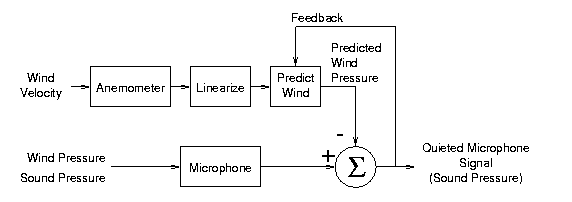
The best way to block wind from microphone recordings is to reduce the air pressure before it reaches the microphone capsule. Wind protection does not stop all air movement. Instead, it slows and spreads the airflow so the microphone receives a smoother signal.

The Best Ways to Block Wind From a Microphone
Different environments need different levels of protection. A foam cover may work indoors or on a calm day, while strong outdoor wind may require several layers.
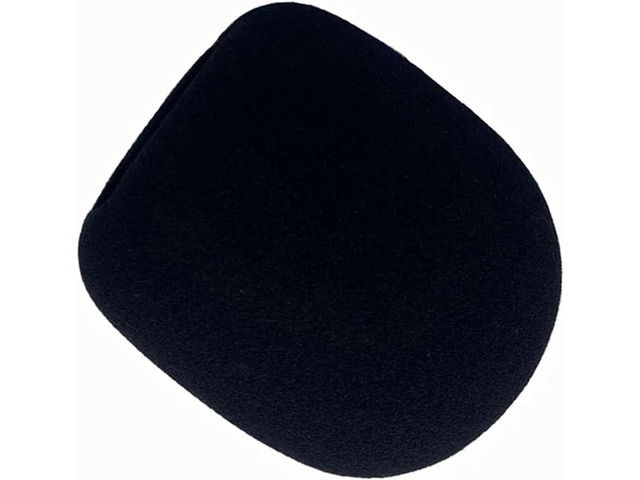
Use a foam windscreen
A foam windscreen is the simplest form of microphone protection. It fits over the microphone and slows fast-moving air before it reaches the capsule.
Foam windscreens work well for:
- Indoor speech
- Light outdoor breezes
- Presentations
- Voice calls
- Streaming
- Basic phone recordings
- Interviews in sheltered locations
Choose a foam cover that fits tightly but does not press against the microphone grille. A loose cover can rub against the microphone and create unwanted noise.
Foam is useful, but it has limits. It will not fully protect a microphone in strong wind, near the ocean, on a mountain, or in an open field.
Add a furry wind muff
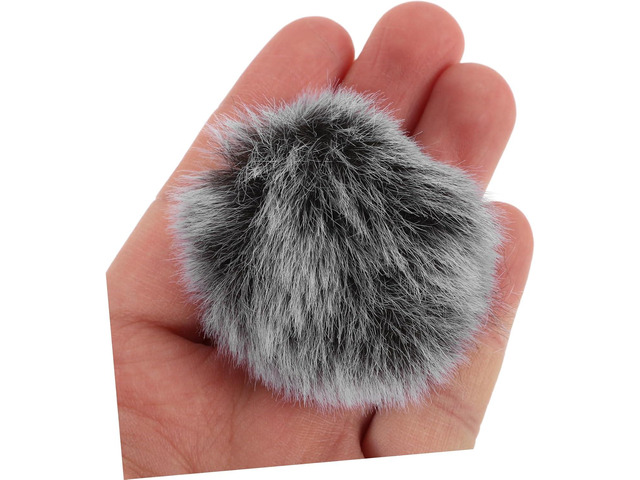
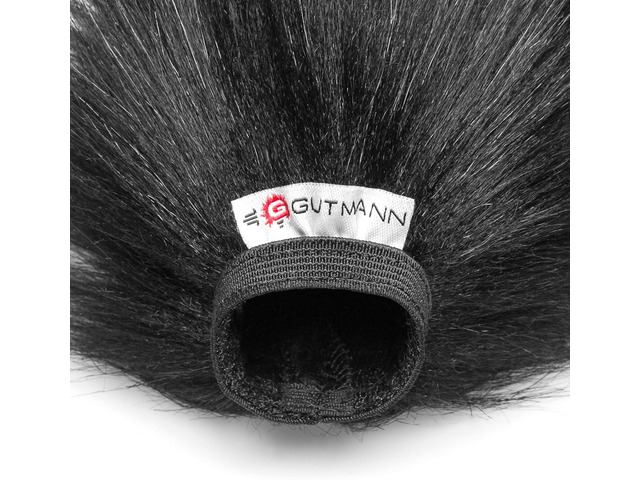
A furry wind muff is often called a dead cat or wind jammer. Its long fibers break up moving air and reduce strong wind before it reaches the microphone.
This is one of the most effective ways to block wind from microphone recordings outdoors. Furry wind protection is common in film, television, news work, sports video, and documentary production.
A furry wind muff works best when:
- The wind is moderate or strong
- You are recording outside
- The microphone is mounted on a camera
- You are using a shotgun microphone
- You are recording near roads, beaches, or open spaces
Make sure the fur covers the entire foam layer or microphone grille. If part of the microphone remains exposed, wind can still enter from the uncovered side.
Use a blimp or basket windshield
A blimp windshield creates an air space around the microphone. The microphone sits inside a perforated basket, and a furry cover fits over the outside.
This setup offers stronger protection than foam alone. It is useful for professional outdoor recording, especially when the microphone must stay exposed to changing wind.
A blimp can also reduce handling noise when used with a proper shock mount. However, it is larger, more costly, and less convenient for casual phone or camera work.
Use a wind sock
A wind sock is a soft fabric cover that slides over a microphone or microphone stand. It can help reduce wind, but its performance depends on the fabric and fit.
Thin fabric may work in light wind. Thick acoustic fabric usually performs better. Avoid tightly wrapping the microphone in plastic, tape, or dense material because this can make the sound dull and may trap moisture.
Make a temporary wind cover
If you are recording without proper equipment, a clean piece of foam, soft fleece, or thick fabric can act as a short-term wind barrier. It should sit around the microphone without touching the capsule or blocking the sound path.
This emergency method is not as reliable as a real wind muff. Still, it can help during a sudden outdoor interview or travel recording. Test the sound before the main take whenever possible.
How to Position a Microphone in Wind
Microphone placement matters as much as the windscreen. Even the best wind muff can fail if the microphone points directly into a strong gust.
Point the microphone away from the wind direction. If possible, place your body, a vehicle, a wall, or another solid object between the microphone and the wind.
For spoken audio, keep the microphone close to the speaker. A close microphone needs more voice and less background sound, which makes light wind easier to control.
Try these placement tips:
- Aim the microphone slightly downward instead of straight into the air.
- Keep the microphone behind the speaker’s head when the voice still sounds clear.
- Use a side angle rather than pointing the microphone directly into the wind.
- Place the microphone under a jacket collar only when clothing noise is controlled.
- Keep the microphone away from open windows, fans, air conditioners, and moving vehicles.
- Hold a camera mounted microphone behind the camera body when possible.
- Use a boom pole to place the microphone in a sheltered position above the speaker.
Do not cover the microphone completely with your hand. Your hand may block some wind, but it can also create handling noise and change the sound. A proper windscreen is safer and more consistent.
When I test a setup, I move the microphone through the same wind direction that it will face during the recording. A setup that sounds clean in a quiet room may fail within seconds outside. A short test can save an entire interview.
How to Block Wind From a Lavalier Microphone
Lavalier microphones are small and easy to hide, but they are highly exposed to wind. Their small capsules often sit near clothing, skin, and open air.
Use a small foam windscreen first. For outdoor recording, add a furry lavalier cover designed for the microphone size.
Place the lavalier in a protected area, such as:
- Under the speaker’s outer clothing
- Behind a shirt placket
- Under a jacket lapel
- Near the center of the chest
- Inside a purpose-built lavalier mount
Avoid placing the microphone directly under loose fabric. Clothing can rub against the capsule and create louder noise than the wind itself.
Secure both the microphone and the cable. Use a small clip, cable loop, or adhesive mount to stop the cable from swinging. A loose cable can transfer movement into the microphone.
For hidden lavalier work, create a small fabric sandwich around the microphone. Place soft material on both sides of the capsule, but do not press it tightly against the sound openings. The goal is to reduce wind while keeping the voice natural.

How to Block Wind From a Shotgun Microphone
Shotgun microphones are popular for video because they capture sound from a narrow area. Their long interference tube also has many openings that can catch moving air.
A foam windscreen is often enough indoors. Outside, use a blimp, basket, or furry shotgun wind cover.
Keep the microphone pointed toward the speaker but slightly shielded from the wind. A boom operator can place the microphone just outside the camera frame and use the speaker’s body as a partial wind shield.
Avoid holding a shotgun microphone too far away. Distance makes the voice quieter, while wind and room noise remain strong. Bringing the microphone closer improves the voice-to-noise ratio.
A shock mount is also important. It separates the microphone from the boom pole or camera. This does not stop wind directly, but it reduces bumps, grip noise, and vibrations that can be mistaken for wind.

How to Reduce Wind Noise on a Phone or Camera
Phones and cameras often have tiny built-in microphones. Their small size makes them convenient, but built-in microphones can easily pick up wind.
To block wind from microphone recordings on a phone or camera, use an external microphone with a proper windscreen when possible. If you must use the built-in microphone, place the device behind a barrier and avoid pointing it into the breeze.
Useful methods include:
- Turn your body into the wind and place the phone behind you.
- Hold the phone near chest level instead of above your head.
- Use a small furry cover made for the phone model.
- Record beside a wall, vehicle, tree, or building.
- Keep your fingers away from the microphone openings.
- Avoid placing the phone inside a tight pocket while recording.
- Use a wired or wireless external microphone for interviews.
Some camera cases block microphone openings or redirect wind toward them. Remove the case for a test if the recording sounds muffled or unusually noisy.
Wind reduction apps can help, but they cannot restore speech that the wind has completely covered. Good placement and physical protection are more reliable than software alone.

Microphone Settings That Help Reduce Wind
Microphone settings cannot remove wind before it reaches the capsule, but they can make the final recording easier to manage.
Use a high-pass filter when your recorder, camera, or microphone system provides one. A high-pass filter reduces very low frequencies, where much wind rumble occurs.
Common starting points include:
- 75 to 100 Hz for a deep voice
- 100 to 150 Hz for speech with heavy wind rumble
- A lower setting when the voice sounds thin after filtering
The correct setting depends on the speaker, microphone, and recording environment. Listen carefully after making the change. Too much filtering can remove warmth from the voice.
Keep recording levels low enough to avoid clipping. Wind bursts can create sudden peaks that overload the input. A little extra headroom gives those peaks room to pass without distortion.
If your recorder supports a limiter, use it carefully. A limiter can control sudden loud bursts, but it cannot remove wind texture. Automatic gain control may also raise quiet wind between words, so manual gain often produces cleaner results.

How to Remove Wind Noise in Postproduction
Audio software can reduce mild wind noise, but prevention remains the best solution. Severe wind often covers parts of speech, and missing detail cannot be perfectly rebuilt.
Start by listening to the noise. Wind may appear as:
- A low rumble
- A broadband hiss
- Short bursts
- Crackling pressure changes
- Fabric movement
- Handling vibration
Use a high-pass filter to reduce low rumble. Then try a gentle noise reduction tool with a short sample of the wind. Apply small changes and compare the processed audio with the original.
Heavy noise reduction may create metallic, watery, or robotic speech. This happens when the software removes parts of the voice along with the wind.
A practical editing order is:
- Make a backup of the original recording.
- Remove severe bumps or unusable sections.
- Apply a high-pass filter.
- Reduce steady noise with a light setting.
- Use equalization to restore voice clarity.
- Adjust volume with compression.
- Listen through headphones and speakers.
- Export a short test before finishing the full project.
Do not boost the voice before controlling wind. Raising the volume also raises the wind. Reduce the noise first, then shape and amplify the speech.
Common Mistakes to Avoid
Many wind problems come from simple setup errors. Knowing what not to do can save time and money.
Using foam alone in strong wind
Foam is not designed for severe weather. Add a furry cover or basket when the wind becomes strong.
Covering the microphone with plastic
Plastic may block air, but it can make the sound dull and create loud rubbing noise. It may also trap moisture near the microphone.
Holding the microphone too far away
Distance reduces the voice level and gives wind more room to dominate. Keep the microphone close while staying outside the camera frame.
Forgetting the microphone cable
A cable can slap against clothing, a stand, or a camera. Secure it with a small loop and leave enough slack near the microphone.
Touching the microphone during a take
Handling noise travels through the microphone body. Use a stand, shock mount, or stable grip.
Trusting noise reduction too much
Editing tools are useful for light cleanup. They are not a replacement for a windscreen, careful placement, and a good recording level.
Failing to test in the real location
Indoor tests do not reveal how the microphone will react to gusts, trees, traffic, or open spaces. Record at least 10 seconds in the actual location before the main take.
Choosing the Right Wind Protection
The best wind protection depends on the microphone and recording conditions.
| Recording situation | Recommended protection |
|---|---|
| Quiet indoor room | No cover or a thin foam windscreen |
| Indoor speech with air movement | Foam windscreen |
| Light outdoor breeze | Foam plus basic furry cover |
| Moderate outdoor wind | Furry wind muff or wind sock |
| Strong or changing wind | Basket or blimp with furry cover |
| Outdoor lavalier recording | Foam cover plus furry lavalier mount |
| Phone recording | External microphone with furry cover |
| Professional film work | Blimp, shock mount, and boom technique |
Check the product size before buying. A wind muff made for a large shotgun microphone may slip off a small lavalier. A cover that is too tight may press against the microphone and affect the sound.
Natural fur and synthetic fur can both work well. The main factors are fiber length, density, fit, and the design underneath the fur. A cheap cover that fits properly may outperform an expensive cover that leaves gaps.
A Simple Outdoor Wind Test
A short test helps you find problems before they become permanent. Use the same microphone, wind protection, placement, and recording settings planned for the real session.
Follow these steps:
- Record the speaker for 10 to 20 seconds.
- Ask the speaker to talk at the normal distance.
- Face the microphone toward the expected wind.
- Turn the microphone slightly away from the wind.
- Add or adjust the wind cover.
- Compare the recordings with headphones.
- Check for wind rumble, clothing noise, muffled speech, and cable movement.
- Choose the cleanest setup and repeat the test once more.
Test both normal and sudden wind. A calm moment can hide a problem that appears during a gust.
Listen for voice quality as well as noise. A cover may reduce wind but make the voice too dull. If that happens, try a better fitting cover, a different angle, or a more open windscreen.
Frequently Asked Questions About How to Block Wind From a Microphone
What is the best way to block wind from a microphone?
The best method is to use a foam windscreen for light wind and a furry wind muff or blimp for stronger outdoor wind. Good microphone placement also matters because avoiding direct airflow reduces pressure before it reaches the capsule.
Does a foam windscreen stop wind noise?
A foam windscreen reduces light wind and breath blasts, but it may not stop strong outdoor wind. For exposed locations, use foam under a furry cover or inside a basket windshield.
Can I use a sock as a microphone windscreen?
A clean, thin sock may reduce light wind as a temporary fix, but it is not as effective as acoustic foam or a proper wind muff. Make sure it does not rub against the microphone or cover it so tightly that the sound becomes muffled.
How do I block wind from a lavalier microphone?
Use a small foam cover and a furry lavalier wind muff. Secure the cable, keep the microphone away from loose fabric, and place it under a lapel or other sheltered area when possible.
Can software remove wind noise from a recording?
Software can reduce mild, steady wind noise with filters and noise reduction tools. It cannot reliably restore speech that strong wind has completely covered, so physical wind protection remains more important.
Should I point the microphone into or away from the wind?
Point the microphone away from direct airflow whenever possible. A slight side angle, a nearby barrier, and a proper wind cover can reduce the pressure that causes rumble.
Why does my microphone sound muffled after adding a wind cover?
The cover may be too dense, too tight, or poorly fitted. Try a cover made for your microphone, check that it does not press against the grille, and compare the sound with a thinner layer.
Conclusion
Learning how to block wind from microphone recordings is mainly about prevention. Use the right cover, keep the microphone close, aim it away from direct airflow, secure the cable, and test the setup outdoors before recording.
Foam works for light wind. Furry covers and blimps provide stronger protection. High-pass filters and noise reduction can help with small problems, but they cannot replace careful placement and proper wind protection.
Try these steps on your next outdoor recording, then listen closely to the results. Share your setup or explore more microphone recording guides to keep improving your sound.