

A mic stand is usually easy to fix. Most problems come from a loose knob, worn tripod joint, slipping clutch, bent boom, or damaged thread. In the United States, many microphone stands use a 5/8"-27 microphone thread, but some models use adapters or different thread sizes. Check the stand manual before forcing any part.
Start by removing the microphone and tightening the stand by hand. If the stand still drops, wobbles, or will not lock, inspect the joint that moves. Replace worn parts when possible. Do not repair a cracked metal tube or badly damaged load-bearing joint with glue or tape.
Quick Answer: How Do You Fix a Mic Stand?
To fix a mic stand:
- Remove the microphone and any cable.
- Find the loose or slipping joint.
- Tighten the knob, clutch, screw, or wing nut by hand.
- Check for a missing washer, worn friction pad, bent tube, or stripped thread.
- Replace the damaged part instead of forcing it tighter.
- Test the stand with light pressure before putting the microphone back.
A loose microphone clip may need a new thread adapter. A boom that drops often needs a new clutch or friction washer. A wobbly tripod may need new leg screws, bushings, or a replacement base.
Identify the Mic Stand Problem First
The symptom often points to the failed part. Check the table below before taking the stand apart.
| Symptom | Likely cause | First repair to try |
|---|---|---|
| Stand slowly drops | Loose clutch, worn clutch pad, or overload | Tighten the clutch and reduce the load |
| Boom arm sags | Loose boom knob or worn friction washer | Tighten the boom joint and inspect the washer |
| Base wobbles | Loose leg screw, worn bushing, or bent leg | Tighten hardware and check each leg |
| Mic clip will not stay tight | Damaged thread or missing adapter | Replace the adapter or clip |
| Stand will not extend | Bent tube, dirt, or damaged height clutch | Clean the tube and inspect the clutch |
| Knob spins without tightening | Stripped screw or nut | Replace the screw, nut, or clutch |
| Stand makes a grinding sound | Damaged threads or metal debris | Stop using it and inspect the joint |
| Boom rotates too freely | Worn teeth, friction pad, or joint hardware | Replace the worn joint part |
| Stand leans to one side | Bent tube, uneven leg, or loose base | Set it on a flat floor and inspect the frame |
Check the load before repairing
A heavy microphone, shock mount, pop filter, and long boom can place more force on the stand than a small handheld microphone. The farther the microphone extends from the center of the base, the more leverage it creates.
For example, a large condenser microphone on a long boom may sag even when the knob feels tight. Move the microphone closer to the stand, shorten the boom, or use a stronger stand. A repair cannot correct an overloaded design.
What You Need to Fix a Mic stand
most basic repairs need only a few tools:
- Adjustable wrench
- Small and medium Phillips screwdrivers
- Flat-head screwdriver
- Hex keys
- Needle-nose pliers
- Clean cloth
- Mild soap and water
- Replacement washers or nuts
- Thread-size adapter, if needed
- Blue, removable threadlocker for suitable metal fasteners
Use the correct tool size. A loose-fitting wrench can round the edges of a nut. Avoid using oil on friction clutches unless the manufacturer permits it. Oil can make a slipping joint worse.
Keep small parts in a cup or tray. Many stand parts look alike but are not interchangeable.

How to Fix a Mic Stand That Keeps Dropping
A stand that drops usually has a loose or worn height clutch. The clutch is the part that locks the inner tube in place.
1. Remove the microphone
Take off the microphone, clip, shock mount, and cable. Lower the stand to its shortest safe height. This removes weight from the clutch and prevents the stand from falling during inspection.
2. Tighten the height clutch
Turn the clutch knob clockwise by hand. Do not use pliers at first. The knob should create firm pressure without cracking or crushing the plastic housing.
Raise the stand a few inches and press down gently. If the tube still slides, continue the inspection.
3. Clean the inner tube
Dust, tape residue, and dried lubricant can reduce grip. Wipe the exposed tube with a dry cloth. For sticky residue, use a slightly damp cloth with mild soap. Dry the tube fully before testing.
Do not sand the tube unless the manufacturer gives that instruction. Scratches can damage the clutch and make the problem worse.
4. Inspect the clutch washer or sleeve
Many stands use a plastic, rubber, or fiber part inside the clutch. If it is cracked, flattened, missing, or badly worn, tightening the knob may not restore grip.
Replace it with the correct part for the stand. A random rubber washer may slip, swell, or fail under load.
5. Check the stand under light load
Set the stand on the floor. Extend it only partway and test it with one hand. Then add the microphone and test again while keeping one hand near the boom.
If the stand drops with the microphone attached, do not use it overhead. Replace the clutch or the stand.
How to Fix a Boom Arm That Sags
A boom arm sags when its pivot cannot create enough friction to hold the arm and microphone. This may result from a loose knob, worn washer, damaged teeth, or too much weight at the end of the boom.
Tighten the boom joint
Hold the boom with one hand while tightening the joint knob with the other. This prevents the arm from twisting and protects the joint.
If the knob reaches the end of its travel but the boom remains loose, the knob may be stripped or the friction washer may be worn.
Inspect the friction parts
Remove the knob only after supporting the boom. Look for:
- Flat or cracked washers
- Missing spacers
- Worn plastic bushings
- Damaged metal teeth
- A bent bolt
- A split joint housing
Take a photo before removing parts. The order of washers and spacers matters.
Reduce leverage
Move the microphone closer to the pivot. Shorten the boom if it has a telescoping section. Remove a heavy pop filter or shock mount for testing.
If the boom stays firm when short but sags when fully extended, the stand may be working beyond its practical load. Use a heavier boom stand or a shorter microphone position.
Replace damaged parts
A worn friction washer is often replaceable. A cracked joint housing or bent boom is less suitable for a home repair. Do not weld, drill, or reshape a load-bearing microphone stand unless you have the proper tools and experience.

How to Fix a Wobbly Tripod Base
A tripod base should sit flat with all legs supporting the stand. A wobble can come from loose hardware, a damaged leg joint, or a bent part.
Inspect each leg
Fold and open the legs slowly. Look for:
- Loose screws
- Missing washers
- Cracked plastic
- Bent metal
- Excessive side-to-side movement
- A leg that does not open fully
Tighten loose screws while holding the leg in its normal position. Do not overtighten plastic parts. They can crack under pressure.
Check the center hub
The center hub joins the legs to the vertical stand tube. If the hub is cracked or the legs pull away from it, replace the hub or base assembly.
A temporary repair with tape may hold the legs together, but it is not a safe permanent fix. A falling stand can damage the microphone or injure someone.
Test on a flat floor
Test the stand on a hard, flat surface. Carpet can hide a small wobble. Open the legs fully and place the stand where people will not kick or catch the cable.
If the stand is stable without a microphone but tips with one, spread the legs wider or shorten the boom. A heavier base may be the better solution.
How to Fix a Mic Stand Thread or Mic Clip
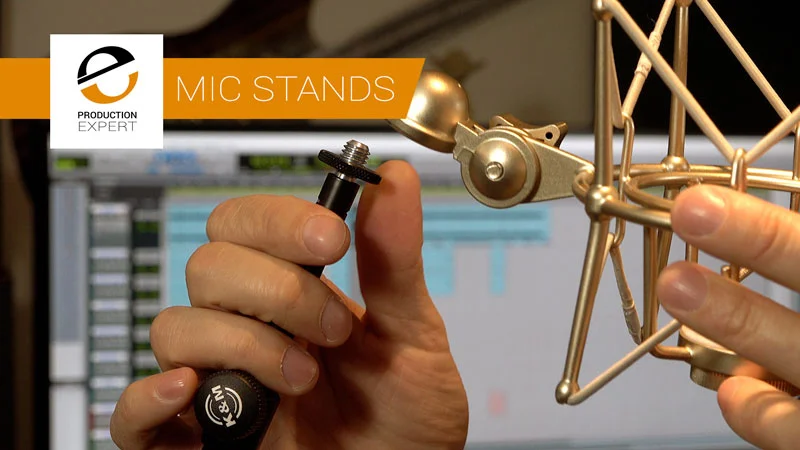
A microphone clip may spin, loosen, or fail to fit because of a damaged thread or the wrong adapter.
Know the common thread sizes
Many microphone stands sold in the United States use a 5/8"-27 stand thread. Microphone clips and accessories may use a smaller thread and need an adapter.
Common problems include:
- A missing 5/8"-27 to smaller-thread adapter
- Cross-threading
- A stripped plastic clip
- A bent metal adapter
- Dirt inside the thread
- A clip that is too narrow for the microphone
Do not force a 3/8-inch or 1/4-inch accessory onto a 5/8"-27 thread. The parts may feel close but will not lock correctly.
Clean the threads
Remove the clip or adapter. Brush away dirt with a soft brush. If the thread looks damaged, compare it with a new adapter rather than trying to force it into place.
Start the part by hand. It should turn smoothly for several rotations. If it binds at once, stop and check the thread alignment.
Replace a stripped adapter
A stripped adapter is usually cheaper and safer to replace than to repair. Use a matching metal adapter where possible. Avoid relying on glue to hold a threaded microphone accessory.
If the stand’s fixed thread is damaged, replacement may require a new top stud or upper stand section. Consult the manufacturer’s parts diagram for the exact component.
How to Fix a Mic Stand That Will Not Stay Tight
A knob that loosens during use may have a worn washer, damaged threads, or too much vibration.
First, tighten the joint while holding the moving part in position. Then mark the knob with a small piece of removable tape. If the mark moves quickly during normal use, the joint is losing tension.
Inspect the screw and nut. Replace parts with the same diameter, thread, length, and head style. A longer screw can bottom out inside the joint or damage the housing.
For suitable metal-to-metal fasteners, a small amount of blue removable threadlocker may help. Do not apply it to plastic threads, moving friction surfaces, or parts that must be adjusted often. Follow the product label and allow it to cure before loading the joint.

How to Repair a Bent or Broken Mic Stand
A lightly bent tube may still look usable but can fail when the stand carries a microphone. Check the tube by rolling it on a flat surface or comparing it with a straight section. Do not apply force near your face or use heat to bend it back.
Replace a bent tube when:
- The height clutch cannot grip evenly
- The tube has a sharp crease
- The tube has a crack
- The base no longer sits straight
- The boom joint does not align
- The stand leans under a normal load
Do not use epoxy, duct tape, or a drilled repair as the main support for a microphone. These fixes can hide a weak area without restoring its strength.
If a metal part has cracked near a joint, replace the part or the entire stand. A professional metal repair may be possible, but the repaired area must safely carry the stand’s load and repeated movement.
When Should You Replace the Mic Stand?
Replace the stand when repair costs approach the price of a reliable replacement or when a load-bearing part is cracked. Replacement is also sensible if parts are unavailable, the thread is badly damaged, or the stand has repeated failures.
Repair is usually worthwhile for:
- Lost knobs
- Loose screws
- Missing washers
- Replaceable clutch parts
- Damaged adapters
- Dirty or sticky tubes
Replacement is usually safer for:
- Cracked plastic hubs
- Bent main tubes
- Broken boom joints
- Severely stripped threads
- Bases that tip under normal use
- Parts that cannot be identified or matched
A basic stand may support a light handheld microphone. A heavy condenser microphone, shock mount, and long boom need more support. Match the stand to the complete setup, not just the microphone’s weight.

Mic Stand Repair Mistakes to Avoid
Avoid these common mistakes:
Do not overtighten plastic knobs
Too much force can crack the knob, strip the screw, or crush a clutch part. Tighten until the joint holds, then stop.
Do not lubricate a slipping clutch
Grease and oil reduce friction. Clean the part instead, then replace the worn friction surface if needed.
Do not mix thread sizes
A forced adapter may cross-thread the stand. Start every thread by hand and stop when resistance appears too early.
Do not test with the microphone over people
Keep the microphone low while testing a repaired joint. A sudden drop can damage the microphone or cause an injury.
Do not ignore a tipping base
A stable boom joint cannot make an unstable base safe. Fix the base first, shorten the boom, or use a heavier stand.
Do not leave loose cables near the legs
A cable can pull the stand over. Run the cable with enough slack and keep it away from walkways.
Mic Stand Repair Decision Guide
Use this guide to choose the next step.
| Problem | Safe first action | Repair or replace? |
|---|---|---|
| Loose knob | Tighten by hand and inspect the screw | Repair if hardware is available |
| Slipping height tube | Clean and inspect the clutch | Replace the clutch or stand |
| Sagging boom | Reduce load and tighten the pivot | Repair with matching washers or parts |
| Wobbly legs | Tighten leg hardware | Repair if the hub is sound |
| Cracked base hub | Stop using the stand | Replace the base or stand |
| Damaged thread | Stop forcing the accessory | Replace the adapter or upper section |
| Bent tube | Remove the microphone and inspect | Usually replace |
| Missing washer | Match the original part | Repair if the correct part fits |
How to Test a Repaired Mic Stand
A repaired stand should pass a gradual test:
- Set it on a hard, flat floor.
- Open the tripod legs fully.
- Keep the height low.
- Tighten every joint by hand.
- Apply light downward pressure with one hand.
- Add the microphone without the boom fully extended.
- Wait and watch for slipping.
- Move the boom slowly through its normal position.
- Check that the base stays flat.
- Recheck every knob after several minutes.
Stop the test if a joint clicks, slides, bends, cracks, or makes a grinding sound. A stand that passes a light test may still fail with a heavier accessory or a longer boom.
How to Find Replacement Mic Stand Parts
Start with the stand’s brand, model number, and part name. Look for the owner’s manual, exploded parts diagram, or support page. Manufacturer documentation is the best source for thread sizes and compatible replacement parts.
Useful search terms include:
[brand] [model] replacement clutch[brand] [model] boom joint[brand] [model] tripod base5/8"-27 microphone stand adaptermicrophone stand friction washer
Measure the old part before ordering. Record the screw diameter, thread type, washer size, and overall length. Product listings can use “mic stand thread” loosely, so compare the specifications rather than relying on the name alone.

Frequently Asked Questions
Why does my microphone stand keep falling down?
The height clutch may be loose, worn, dirty, or overloaded. Clean the inner tube, tighten the clutch, and test with the microphone removed. If the tube still slips, replace the clutch or stand.
Can I use super glue to fix a mic stand?
Super glue is not a safe repair for a load-bearing joint, stripped thread, cracked hub, or slipping clutch. It can make later repairs harder and may fail under repeated movement. Use the correct replacement part instead.
What size thread does a microphone stand use?
Many microphone stands in the United States use a 5/8"-27 thread, but accessories may use adapters or other sizes. Check the manual or compare the part before ordering.
Why does my boom arm sag even when the knob is tight?
The boom may be too heavy for the joint, too far from the pivot, or supported by a worn friction washer. Shorten the boom, reduce the load, and inspect the joint parts.
Is a wobbly microphone stand dangerous?
It can be. A wobbling or tipping stand may damage equipment or fall onto someone. Keep the stand low and unused until you tighten, repair, or replace the unstable part.
Conclusion
Most mic stand repairs begin with a loose joint, worn clutch, damaged washer, or incorrect thread adapter. Remove the microphone first, inspect the moving part, and replace damaged load-bearing pieces instead of forcing them tighter.
After the repair, test the stand at low height with a light load. If the base, tube, or joint is cracked or bent, replacement is usually the safest choice.