

Introduction
In a U.S. home studio, church, classroom, rehearsal room, or live stage, putting a microphone on a stand takes only a few minutes. The basic method is simple: choose a stable stand, attach the correct microphone clip or shock mount, tighten the mount by hand, place the microphone, and secure the cable.
The main challenge is not the microphone itself. It is using the right clip, thread adapter, height, and balance for your setup. This guide explains how to mount handheld, condenser, and broadcast microphones safely without damaging the stand or microphone.
What You Need Before You Start
Gather these parts before you attach the microphone:
- A microphone stand
- A microphone clip or shock mount
- The microphone
- A microphone cable
- A thread adapter, if needed
- A stable floor or desk surface
Most U.S. microphone stands use a 5/8"-27 thread at the top. Many microphone clips fit this thread directly. Some clips and shock mounts use a smaller 3/8"-16 thread and need an adapter.
Do not force a clip onto the stand. If the threads do not match, stop and check for an adapter. A forced connection can strip the metal or plastic threads.
Common microphone stand types
| Stand type | Best use | Main benefit |
|---|---|---|
| Tripod floor stand | Singing, speeches, instruments | Stable and easy to move |
| Round-base stand | Stages and tight spaces | Smaller floor footprint |
| Boom stand | Vocals and instruments | Lets the microphone reach over equipment |
| Desktop stand | Podcasts and voice work | Works well near a desk |
| Low-profile stand | Kick drums and amplifiers | Holds the microphone close to the floor |
The stand should match the microphone’s weight and the space around it. A heavy studio microphone may need a strong stand and a shock mount. A light handheld microphone usually works well with a basic clip.
How to Put a Microphone on a Stand
Follow these steps in order. Most microphone setups use the same basic process.
1. Place the stand on a stable surface
Open the tripod legs fully. Set the stand on a flat floor with the center pole upright.
For a round-base stand, place the base so it cannot rock. Keep at least one leg or a wide part of the base pointed toward the direction where the microphone will extend.
A stand is more stable when its legs are wide and its center of weight stays low. Do not place it where people will walk over the legs or cable.
2. Set the stand height
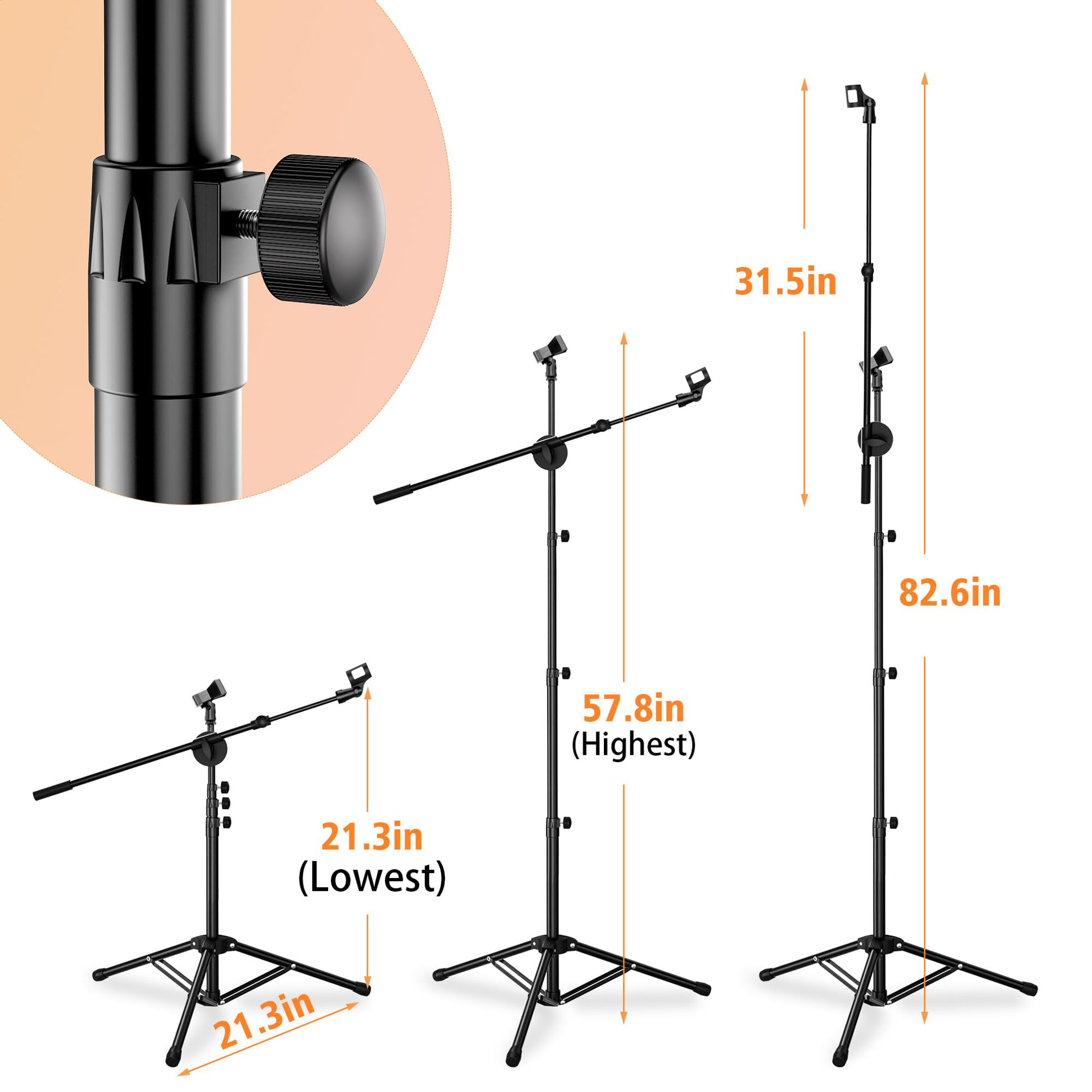
Loosen the height-adjustment knob or collar. Raise or lower the center tube to the height you need. Then tighten the knob by hand.
For a seated speaker, place the microphone near mouth level. For a standing singer, set it close to mouth level before fine-tuning the angle.
Do not raise a stand higher than needed. A tall stand with a long boom arm can become unstable, especially with a heavy microphone.
3. Attach the microphone clip or shock mount
Find the threaded socket at the top of the stand. Hold the microphone clip or shock mount above it.
Turn the clip clockwise by hand until it catches the thread. Continue turning until it feels secure. Do not use pliers or a wrench unless the manufacturer specifically requires it.
A microphone clip holds the microphone body. A shock mount suspends the microphone with bands or elastic supports. Shock mounts help reduce some vibration from the stand, desk, or floor, but they do not make the microphone immune to bumps.
4. Insert the microphone
For a handheld microphone, slide the narrow end into the clip first. Push it in until the clip holds the microphone firmly.
For a side-address microphone, identify the front before tightening the mount. The front is often marked by a logo, grille design, or polar-pattern symbol. Point that side toward the sound source.
For a studio microphone, place the microphone inside the shock mount according to its instructions. Some mounts hold the microphone from the outside. Others use a screw or locking ring.
The microphone should stay in place when you gently let go. It should not slide, spin, or lean.
5. Tighten the microphone angle
Most microphone clips and boom arms have an angle knob. Loosen it just enough to move the microphone. Point the microphone toward the speaker, singer, or instrument.
Then tighten the knob by hand. Hold the microphone or boom with one hand while tightening with the other. This keeps the microphone from dropping suddenly.
Do not overtighten the angle knob. Excess force can damage the threads or crack a plastic clip.
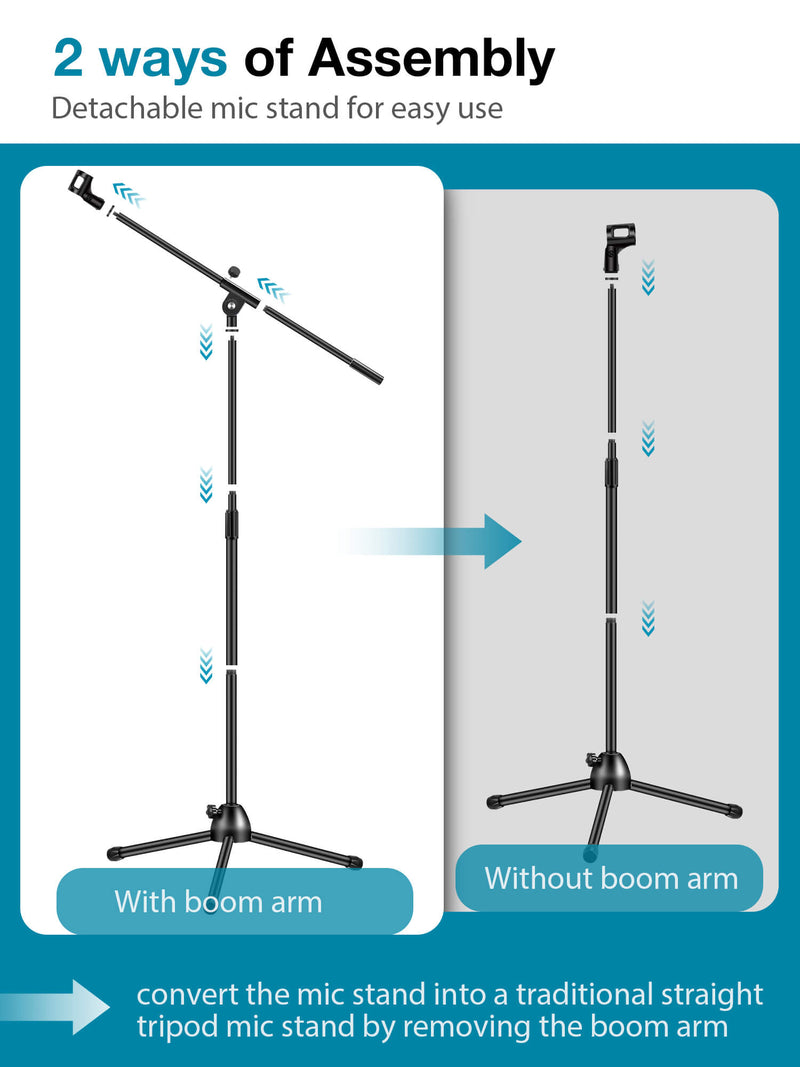
6. Attach the boom arm, if your stand has one
If you use a boom stand, loosen the boom-angle knob. Move the boom into position. Keep the microphone close to the center of the stand’s leg pattern when possible.
Tighten the boom knob while supporting the arm. If the microphone causes the boom to dip, shorten the boom or move the counterweight, if supplied.
A boom becomes less stable as it extends farther from the stand. If the stand starts to tip, lower the stand, widen the legs, shorten the boom, or add a suitable counterweight.
7. Connect the microphone cable
Plug the cable into the microphone after the microphone is secure. Push the connector in until it locks, if the connector has a locking tab.
Run the cable down the stand. Leave a small service loop near the microphone. This loop gives the cable some slack and reduces strain on the connector.
Use cable clips, hook-and-loop ties, or loose tape to hold the cable to the stand. Do not wrap the cable tightly around the stand. Tight bends can damage the cable over time.
Keep the cable away from walkways. If people may cross the cable, use a proper floor cable cover or reroute it.
8. Test the setup
Before recording or performing, gently touch the stand and listen for noise. Speak or play the instrument at the intended distance.
Check for:
- A loose clip
- A microphone that slowly drops
- Stand movement
- Cable crackle
- Unwanted vibration
- A microphone pointed at the wrong side
- Feedback from a nearby speaker
If the setup passes this check, the microphone is ready to use.

How to Attach a Microphone to a Boom Stand
A boom stand uses a horizontal arm to place the microphone over a piano, drum, guitar amplifier, or seated speaker. The attachment process is similar to a straight stand, but balance matters more.
Start with the legs fully open. Attach the microphone clip to the end of the boom. If the boom uses a separate threaded socket, connect the clip before extending the arm.
Hold the boom while loosening its angle knob. Move it slowly into place. Keep the microphone close to the stand’s main pole when possible.
If the boom tilts downward, use one or more of these fixes:
- Shorten the boom extension.
- Lower the stand.
- Widen the tripod legs.
- Move a counterweight toward the rear.
- Use a heavier stand designed for the microphone.
Never place a heavy microphone far out on a fully extended boom without checking the stand’s balance. A falling microphone can damage the microphone, floor, instrument, or a person nearby.
How to Use a Shock Mount
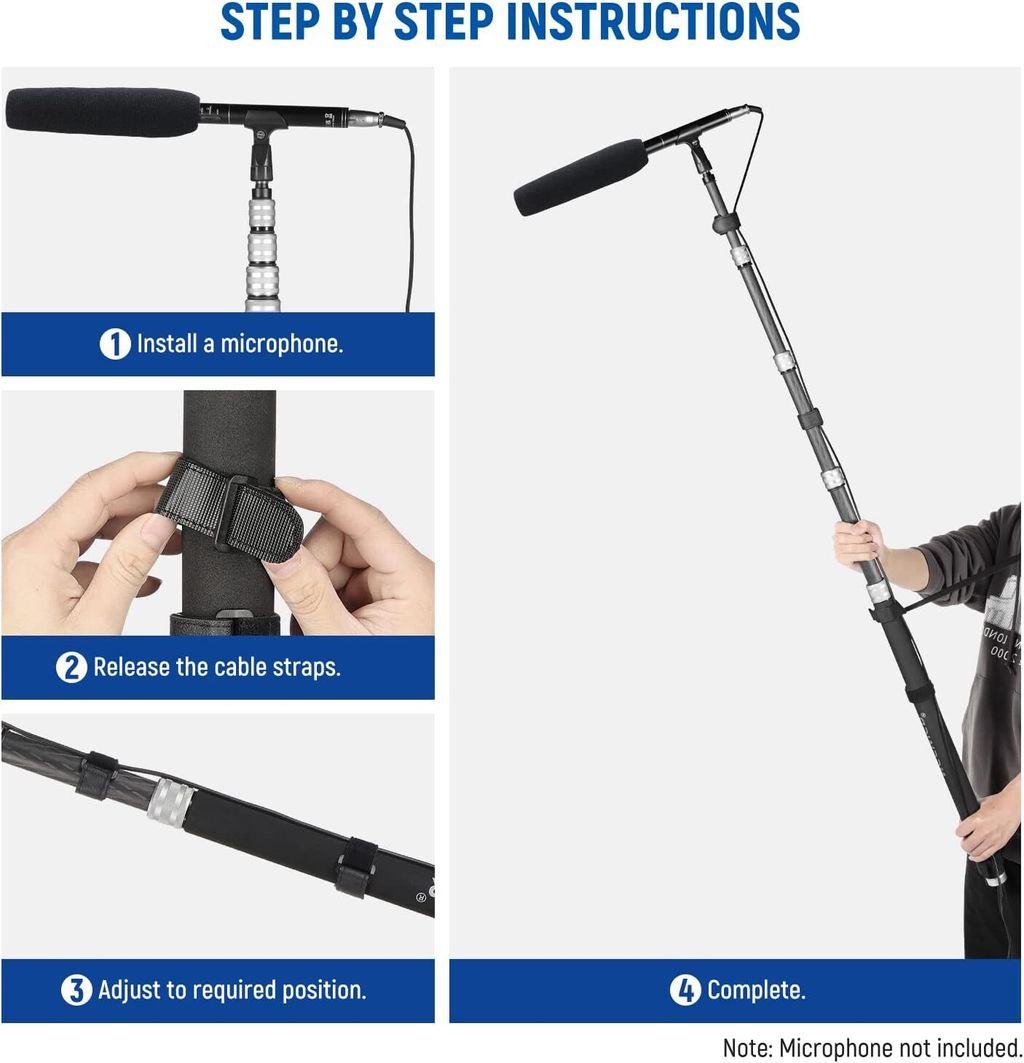
A shock mount is useful when stand noise, desk bumps, or floor vibration reaches the recording. It holds the microphone with elastic bands or a similar suspension system.
First, attach the shock mount to the stand. Then open the mount and place the microphone inside it. Follow the mount’s instructions if it uses a locking ring, side screws, or a special orientation.
The microphone should sit firmly without being crushed. If the elastic bands are loose, twisted, cracked, or stretched out, replace them. A worn band may let the microphone fall.
A shock mount does not replace careful stand placement. It cannot remove room noise, nearby traffic, loud air conditioning, or sound from the microphone capsule itself. It mainly reduces mechanical vibration.
Use a pop filter with a vocal microphone when needed. A pop filter helps reduce bursts of air from sounds such as “P” and “B.” It does not hold the microphone and should attach to the stand or shock mount with its own clamp.

How to Put a Microphone on a Desk Stand
A desk stand uses a short base instead of a tall floor pole. It works well for podcasts, online meetings, voice-over work, and small recording spaces.
Place the base on a solid, level desk. Attach the clip or shock mount to the threaded post. Then position the microphone near mouth level.
Keep the microphone close enough for a clear voice, but do not let it touch the desk or computer. Leave slack in the cable near the microphone and route the rest along the back of the desk.
If keyboard taps or desk bumps enter the recording, move the stand farther from the keyboard. You can also use a shock mount, a soft isolation pad, or a heavier base.
A desk stand may not support a large broadcast microphone when its boom is fully extended. If the base tips, reduce the extension or use a stronger stand.

Choosing the Right Microphone Position
The correct position depends on the microphone and sound source. There is no single distance that works for every setup.
| Use | Starting position | What to adjust |
|---|---|---|
| Speech or podcast | 4–8 inches from the mouth | Move closer for warmth; farther for less breath noise |
| Singing | 6–12 inches from the mouth | Use a pop filter and watch for loud peaks |
| Acoustic guitar | 8–18 inches from the instrument | Aim near the 12th fret for a balanced starting sound |
| Guitar amplifier | 1–6 inches from the grille | Move toward the center for more brightness |
| Meeting or classroom speech | Near mouth level | Keep the microphone out of the speaker’s direct path |
These are starting points, not fixed rules. Room sound, microphone design, voice level, and recording goals all affect the best position.
For a directional microphone, aim the front toward the sound source. Keep the rear or side pointed toward unwanted noise when the microphone’s polar pattern allows it.
For a side-address microphone, speak toward the front or side marked by the manufacturer. Speaking into the wrong end can produce a weak or dull signal.

Common Problems and Quick Fixes
The microphone will not screw onto the stand
The clip and stand may use different thread sizes. Check whether the clip needs a 3/8"-16 to 5/8"-27 adapter.
Do not force the parts together. If the thread is damaged, replace the adapter or clip.
The microphone keeps falling forward
The microphone may be too heavy for the clip, or the angle knob may be loose. Support the microphone, tighten the knob by hand, and check the clip’s condition.
If the microphone still drops, use a stronger clip, reduce the boom extension, or choose a heavier stand.
The stand tips over
The boom may be too long, the stand may be too high, or the legs may not be fully open. Lower the stand and shorten the boom first.
Never solve a tipping problem by placing a random heavy object on the stand. Use a stand or counterweight designed for that purpose.
The recording contains bumps and handling noise
Check whether the microphone, clip, or stand is loose. Make sure the cable is not pulling on the microphone.
Move the stand away from foot traffic. A shock mount may help with vibration, but it will not fix every source of noise.
The microphone has no sound
Check the cable at both ends. Confirm that the input channel is selected and not muted.
A condenser microphone may need phantom power from the audio interface or mixer. Turn phantom power on only when the connected equipment and microphone support it. Follow the equipment manuals, and avoid changing connections while phantom power is active.
The microphone points the wrong way
Turn the microphone so its marked front faces the sound source. With a side-address microphone, rotating the body by 90 degrees can make a major difference.

Safety and Care Tips
Use these habits every time you set up:
- Support the microphone while changing the boom angle.
- Keep stand legs clear of walkways.
- Do not place a stand where it can be knocked into a person or instrument.
- Tighten knobs by hand instead of using excessive force.
- Keep liquid away from the microphone and cable connections.
- Coil the cable loosely after use.
- Inspect clips, elastic bands, knobs, and threads for damage.
- Lower the stand before moving it.
- Remove the microphone before folding or transporting the stand.
- Use a sandbag or approved counterweight when the setup requires extra stability.
Before moving a microphone stand, disconnect the cable and remove the microphone. Carrying the stand with the microphone still attached can stress the connector and increase the chance of a fall.
Key Takeaways
- Open the stand legs fully and place the stand on a level surface.
- Match the microphone clip thread to the stand thread.
- Attach the clip or shock mount before inserting the microphone.
- Tighten knobs firmly by hand, but do not force them.
- Keep a boom short and low when stability is a concern.
- Leave a small cable loop near the microphone.
- Test for movement, noise, cable problems, and feedback before use.
- Remove the microphone before moving or folding the stand.
Frequently Asked Questions
Can any microphone go on any microphone stand?
Most microphones can use a compatible clip or shock mount, but the stand must support the microphone’s weight. The thread size must also match. A small adapter often solves a thread mismatch, but it does not make an unstable stand safe.
Which way should a microphone face on a stand?
Point the microphone’s active side toward the sound source. On a handheld microphone, this is usually the grille at the top. On a side-address microphone, look for the logo, grille pattern, or front indicator.
Should the microphone be above or below the speaker’s mouth?
Start with the microphone near mouth level. A small change above or below the mouth may improve comfort, tone, or breath noise. Keep the microphone aimed at the mouth or sound source unless the manufacturer gives different guidance.
Do I need a shock mount?
You may benefit from one if the recording includes desk bumps, floor vibration, or stand noise. A shock mount is not required for every handheld microphone or live performance setup.
How tight should a microphone stand knob be?
Tighten it enough to hold the microphone or boom in place. Hand-tight is usually enough. Stop if the knob becomes difficult to turn. Excess force can damage the clip, threads, or adjustment joint.
Conclusion
To put a microphone on a stand, open the stand securely, attach the correct clip or shock mount, insert the microphone, set the angle, connect the cable, and test the setup. The key is balance: the microphone should stay secure without excessive pressure, and the stand should remain stable when the boom is extended.
If the microphone moves, tips, or creates noise, fix the stand position and attachment before adjusting your recording settings. A stable physical setup is the first step toward a clean and reliable recording.